Guide to NEAR Confidential Mode: Privacy and On-Chain Trading
🎯 Summary
- Practical On-Chain Privacy: NEAR Confidential Mode lets you keep on-chain activities (balances, transfers, swaps) private without changing wallets or using complex tools.
- Dual Mode: Every account has a Main (public) part and a Confidential (private) part. You can move funds between them at any time.
- Trader Protection: By hiding transaction details, Confidential Mode protects against MEV, frontrunning, and on-chain analysis.
- Easy to Use: You can access NEAR Confidential Mode directly through your DeGate Wallet without KYC while maintaining full custody of your assets.
NEAR Confidential Mode is a feature of near.com designed to add privacy to on-chain activities without forcing users to change wallets, use separate tools, or learn a new technical workflow.
The idea is simple: the same account has two operating modes, one public and one confidential. The most important difference from a completely transparent blockchain is that, in Confidential Mode, sensitive transaction details are not publicly shown on-chain. Amount, sender, recipient, and swap details are not exposed as in a normal transaction. Users can therefore use the blockchain without turning every financial movement into data readable by anyone, significantly improving their privacy.
NEAR Confidential Mode
Confidential Mode divides the user experience into two “pockets” of the same account:
- Main Account: the normal account. Activities are visible on-chain, as on a traditional public blockchain.
- Confidential Account: the private part. Balances, activities, and transfers are encrypted on-chain and visible only to the user, except for any disclosure mechanisms provided by the system.
Users can move funds between Main and Confidential at any time. When funds are in the Main part, the logic is that of normal blockchain transparency. When moved to the Confidential part, activity occurs in an environment designed not to publicly expose sensitive details.
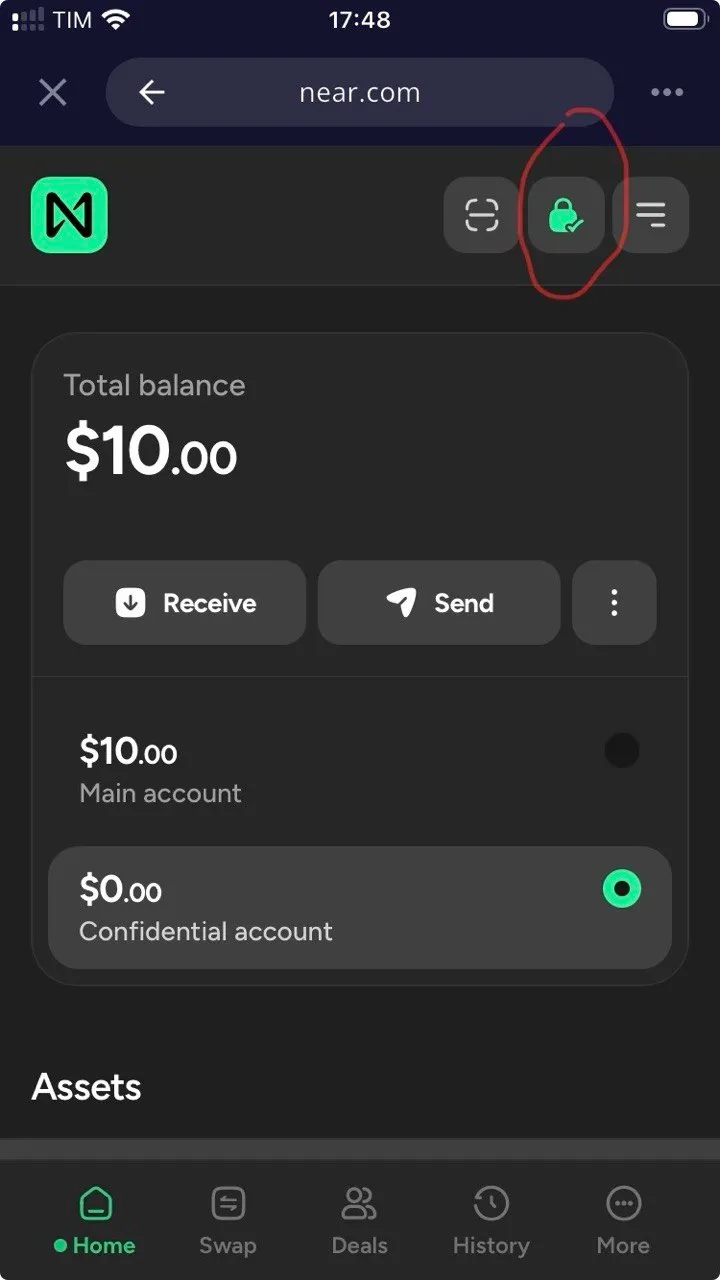
Near.com also visually signals the mode change: when Confidential Mode is active, the interface switches to a dark theme, so users know they’re working with the confidential balance.
How It Works Technically
NEAR Confidential Mode is powered by NEAR Confidential Intents, a confidential version of the NEAR Intents architecture.
NEAR Intents works differently from a normal manual swap. Instead of choosing all the technical steps, users express a desired outcome: for example, “I want to swap this asset for that asset.” A network of market makers or solvers then competes to offer the best execution. If the user accepts the quote, execution is verified and settled through smart contracts.
In the case of Confidential Intents, this logic is brought into a more private environment:
- Transactions are executed on a dedicated NEAR private shard;
- The private shard is managed by a decentralized set of independent permissioned validators;
- A TEE-based bridge connects the private shard to the NEAR mainnet;
- Transaction details remain out of public view of the mempool and traditional block explorers;
- Users don’t need to generate ZK (Zero-Knowledge) proofs client-side or use a complex wallet setup.
The point isn’t just “hiding a transaction,” but moving execution to an environment where sensitive information isn’t made public before or during settlement.
Tutorial: How to Use NEAR Confidential Mode
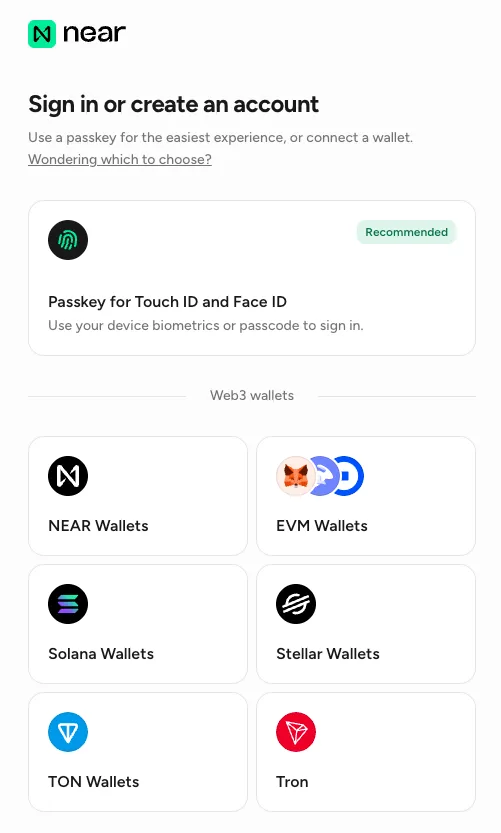
First, you need to create an account on near.com. The site suggests using a passkey to create the account: it’s a convenient and fast solution. However, be careful: currently near.com does not yet allow exporting the private key. Creating an account with a passkey introduces platform dependency and some limitations for users.
For this reason, we recommend creating the account by connecting a Web3 wallet you own, such as a good self-custody wallet. This way you maintain full control and greater autonomy in managing your near.com account. Account creation happens without KYC, obviously.
We’re using DeGate Wallet as an example to show how to use NEAR Confidential. It’s truly accessible to everyone.
- Download the DeGate app on mobile from the official site (https://app.degate.com/en/download).
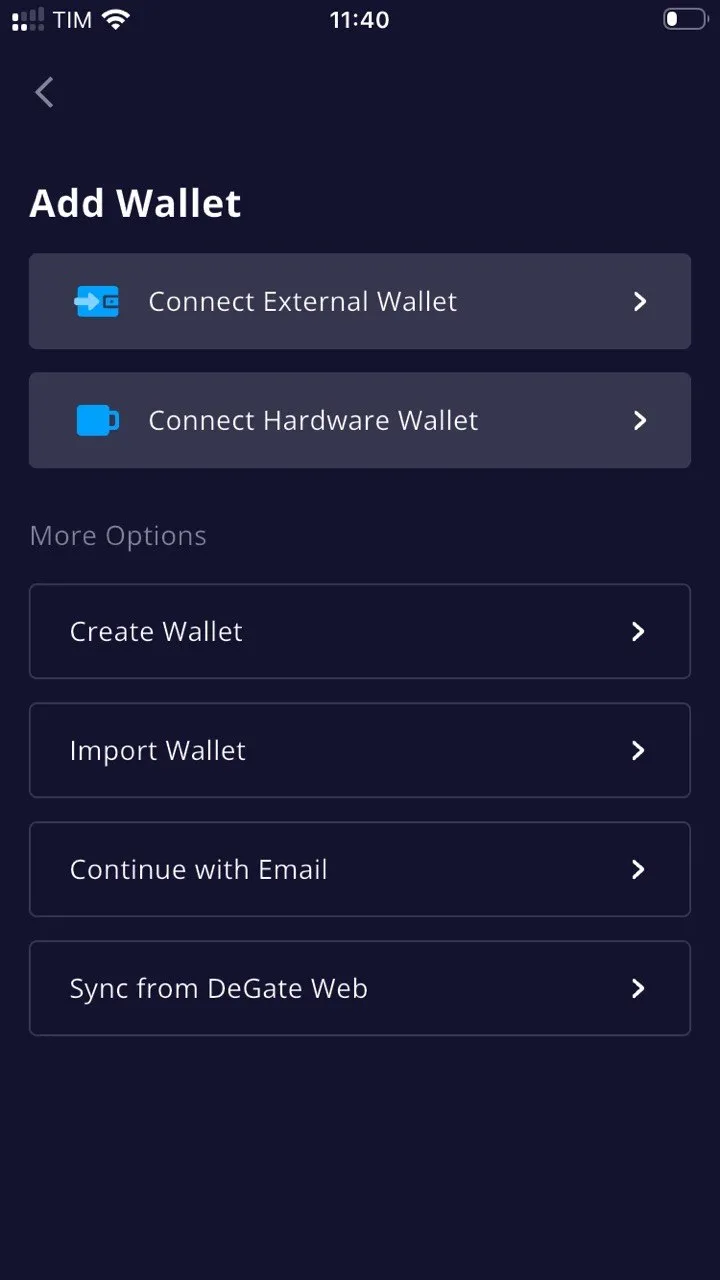
- Create a DeGate Wallet. It’s recommended to create a new wallet by generating a seed phrase. It’s the most self-custody and secure method.
-
In DeGate Wallet, deposit the amount of USDC you want to use on near.com. You can deposit on the most commonly used networks, such as Ethereum, Solana, Base, Arbitrum, and Polygon.
-
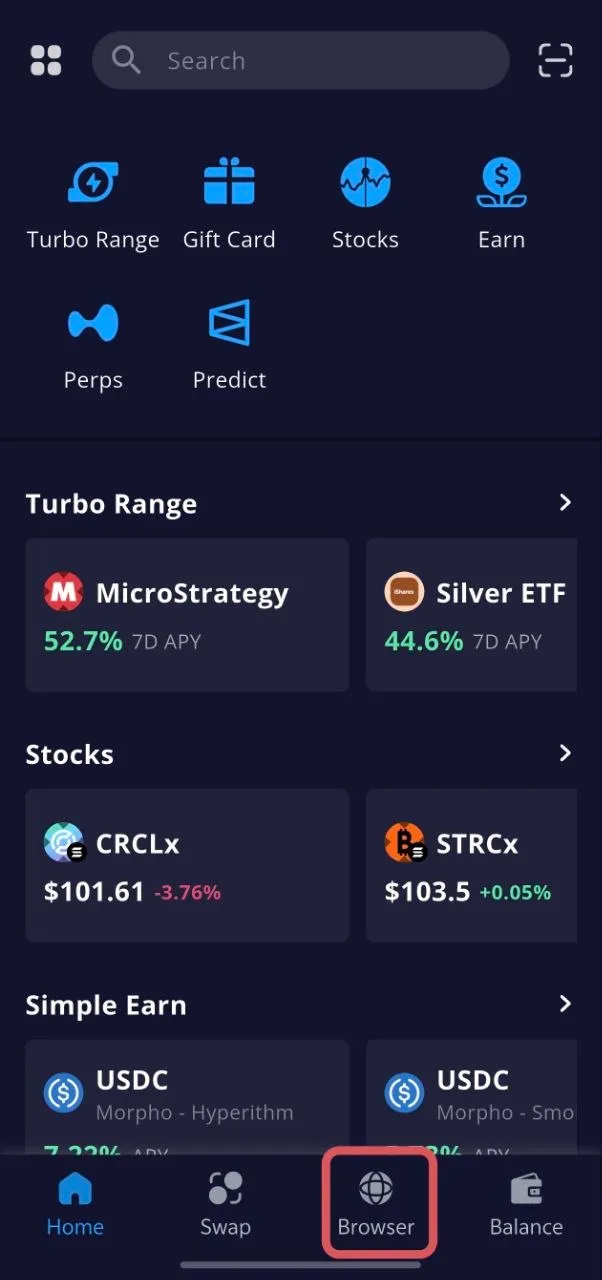
In DeGate Wallet, go to the “Browser” section. In the search bar, type
near.com.
- Once you arrive at near.com, click “Sign in”. At this point, a series of wallets appears to choose from. Choose DeGate Wallet.
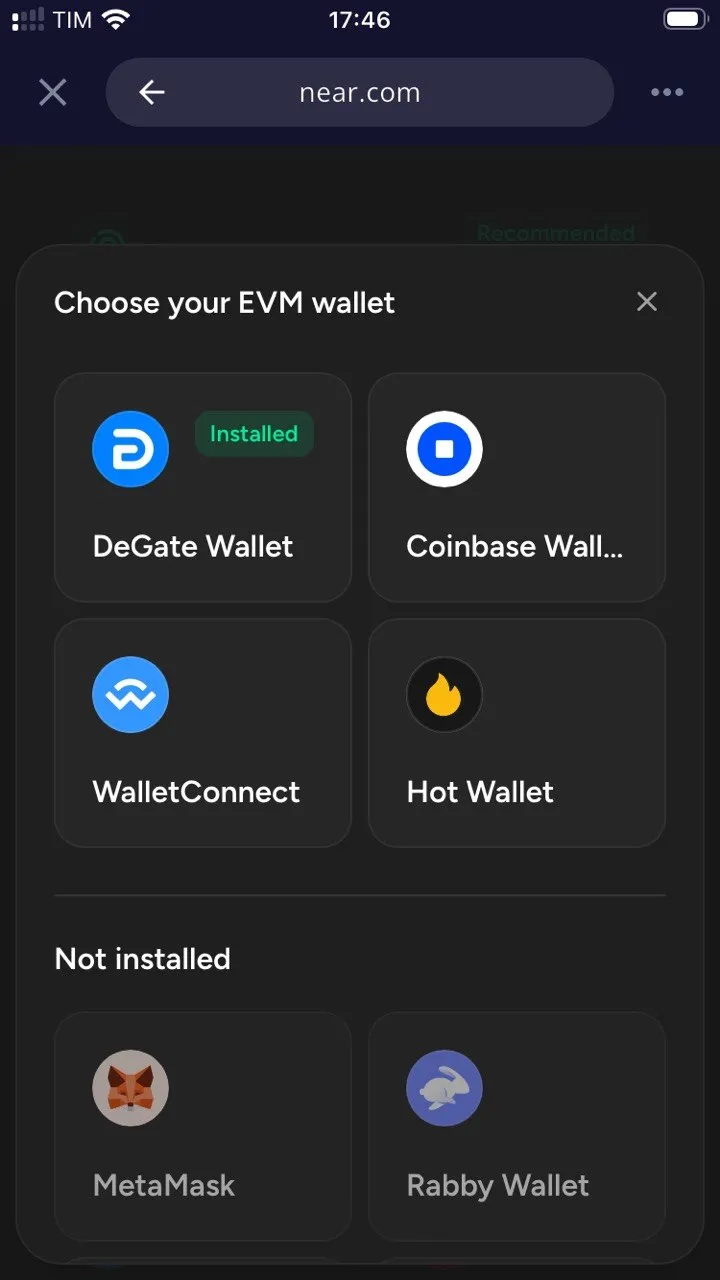
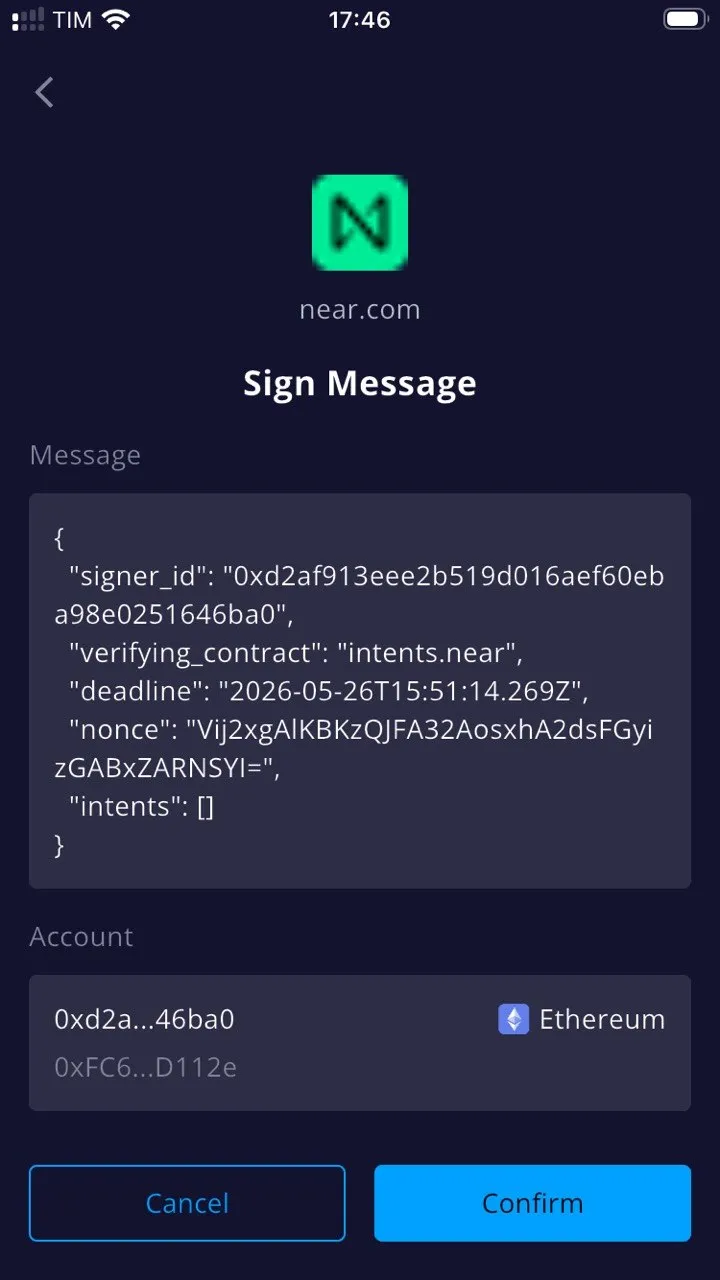
- Sign the message to create a near.com account.
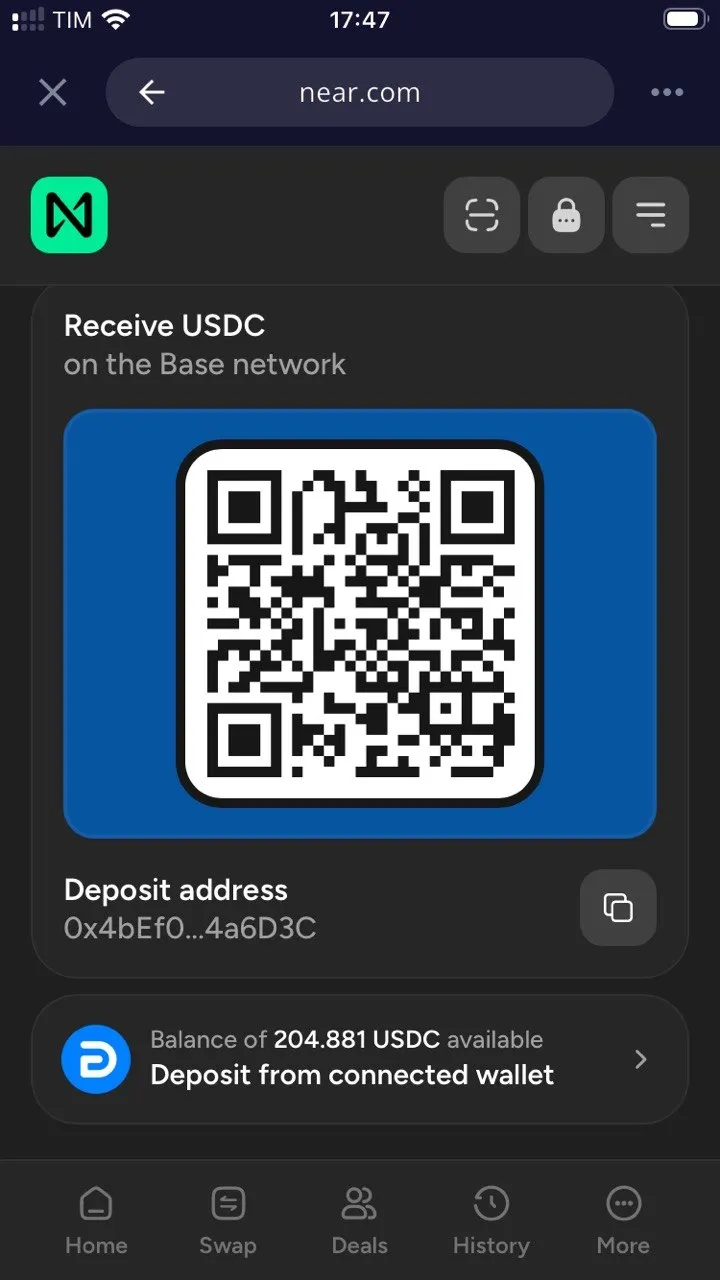
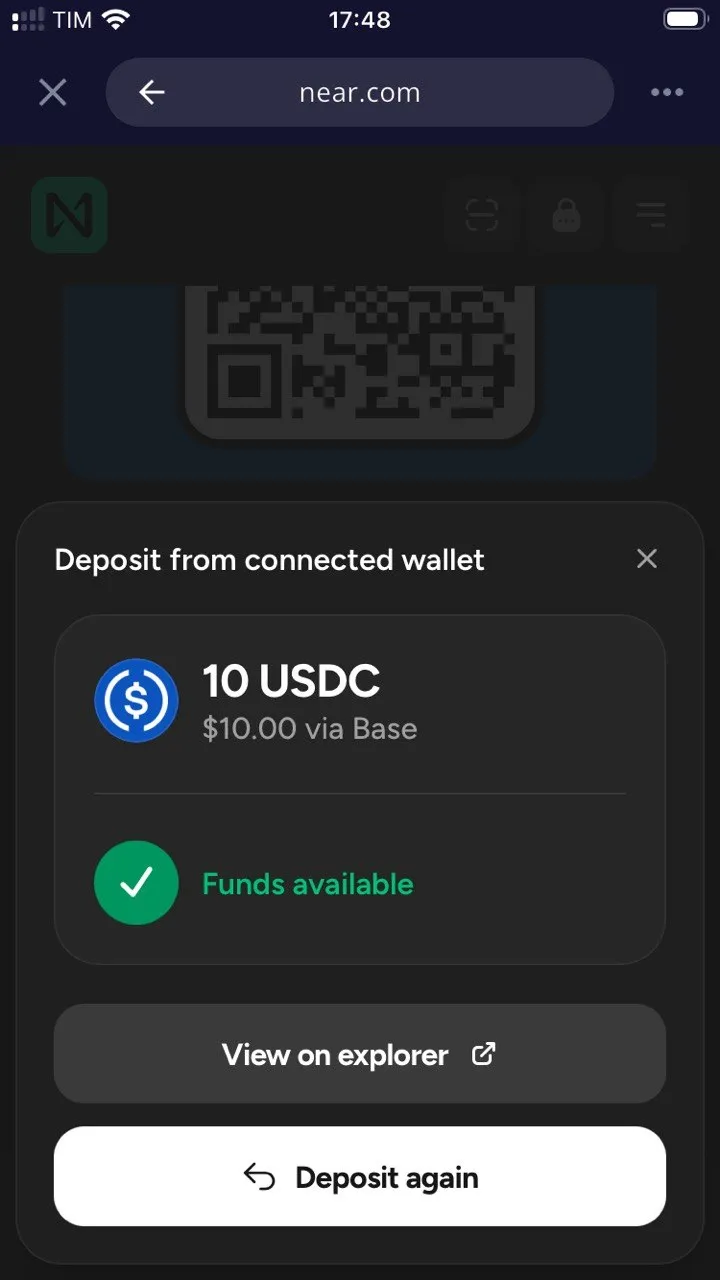
- Click “Receive” and select “From wallet or exchange”. Then select the network you want to deposit from. If your DeGate Wallet already has an available balance, simply click “Deposit from connected wallet,” enter the amount, and click Deposit: the deposit transaction will be sent.
- Once you receive the deposit on near.com, you can activate Confidential Mode.
- Click the Lock icon in the top right. From here you enter Confidential Mode (dark theme).
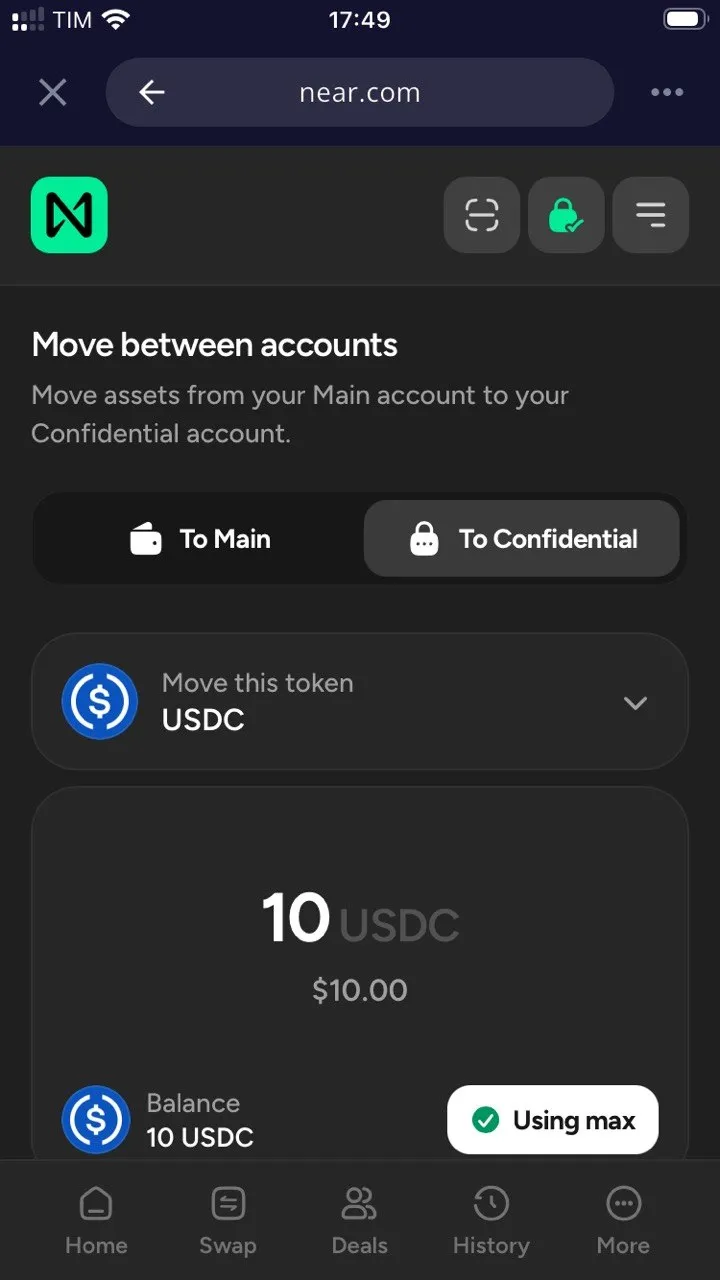
- Transfer funds from the Main Account to the Confidential Account. Click “Transfer” and enter the amount you want to transfer to the confidential part.
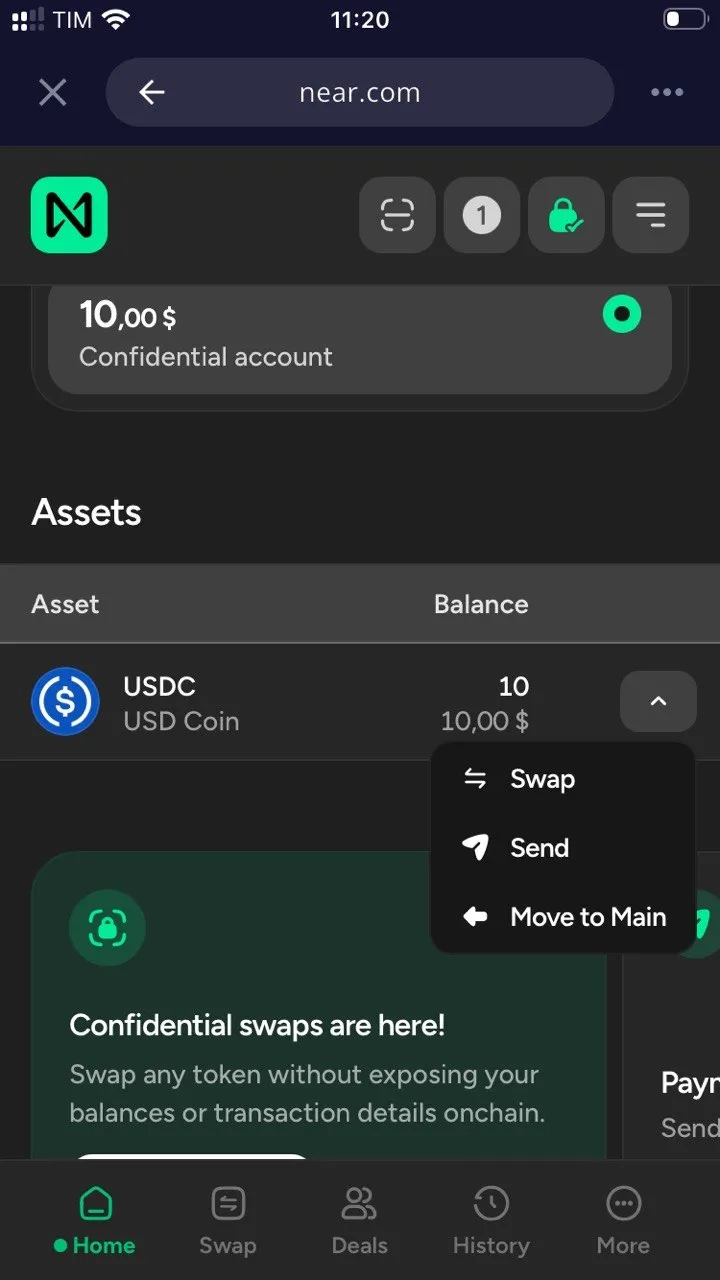
- Once you have funds in the Confidential Account, you can make “confidential” transactions. Click on the USDC balance dropdown: you’ll see the options Swap, Send, and Move to Main. Operations performed from here are all confidential.
- Make a Confidential Swap. You can swap into many tokens. Check the list of supported tokens. With Confidential swaps, the swap is executed through Confidential Intents. Solvers compete to offer execution, but sensitive details are not publicly exposed in the same way as a transparent swap. In this example, we’re buying BTC confidentially. So choose BTC as the token to buy and submit the trade.
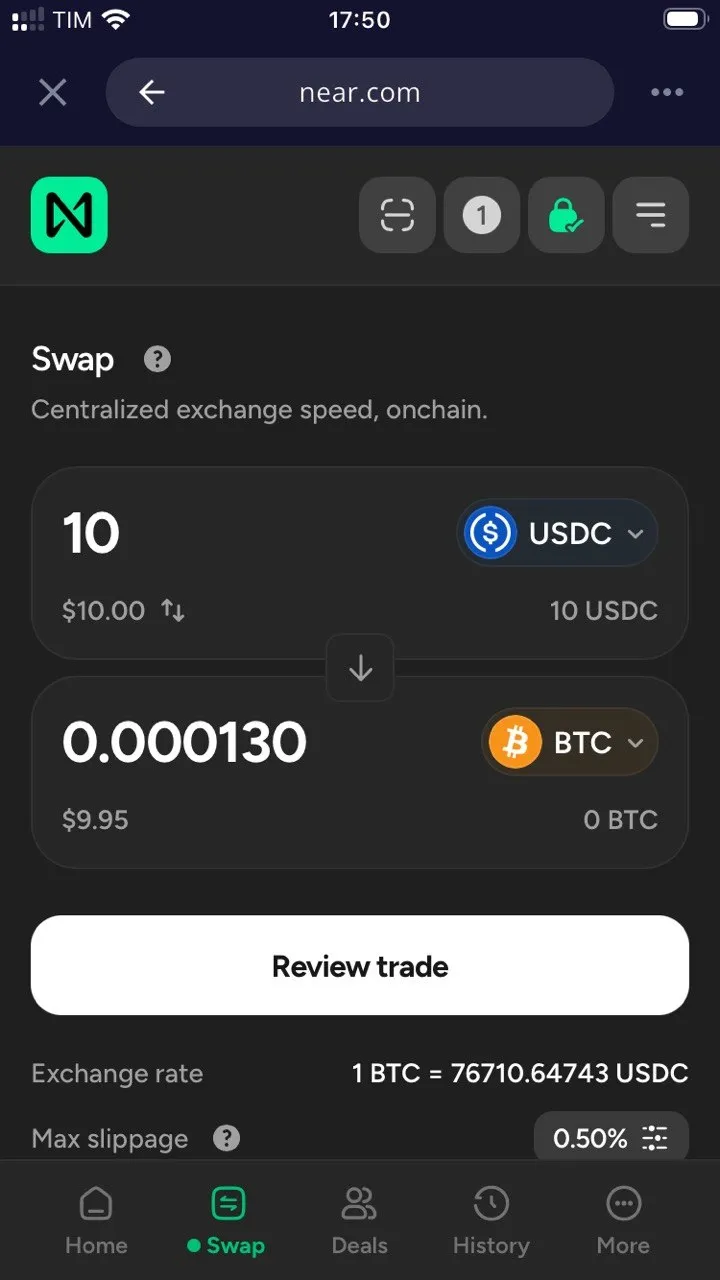
💡 Note: Swap transactions in Confidential Mode are not stored or viewable in the public History.
- Send in Confidential Mode.
For balances you have in Confidential Mode, you can send them to another address.
In our test:
- USDC send appears from a wallet labeled “Near Intent.”
- BTC send appears from a wallet without a label.
Current Limitations and OP-SEC Considerations
Although NEAR Confidential Mode offers excellent guarantees, there are limits to keep in mind for conscious use (see more in Privacy Coins):
- Observation points: Deposits and withdrawals between the public (Main) and private (Confidential) parts can create observable points on the blockchain.
- Metadata and Behavior: Confidentiality can be weakened by metadata, timing (close timing), very specific amounts, and repetitive behaviors.
Conclusions
For the average user, NEAR Confidential Mode means greater financial privacy, similar to a bank account where not everyone can read your transactions. For advanced DeFi traders, it means less exposure to MEV (Maximal Extractable Value), frontrunning, and predatory on-chain analysis. For companies and institutions, it can mean less publicly visible payments, treasury, and positions, while maintaining selective disclosure logic for legal or audit needs (as also discussed for Crypto Cards).
It’s not absolute privacy, but it’s practical, optional privacy strongly oriented toward execution.
This site is supported and sponsored by DeGate Wallet, an exceptional multi-chain self-custody wallet focused on maximum privacy and security. Discover the new DeGate Card!